Urban Risk Lab ADAPT
Urban Risk Lab ADAPT is a full-stack product prototype for community preparedness, response, and recovery workflows. It turns a static community toolkit into a guided platform: content visibility can respond to user answers, managers can edit dependency rules directly in the browser, and a RAG assistant helps both end users and content managers work through source-heavy material.
My contribution focused on two connected systems: the visual dependency manager that controls dynamic content behavior, and Mobi, a toolkit assistant designed around memory, thread management, source-grounded answers, and tool-visible agent workflows.
RAG Driven AI Agent
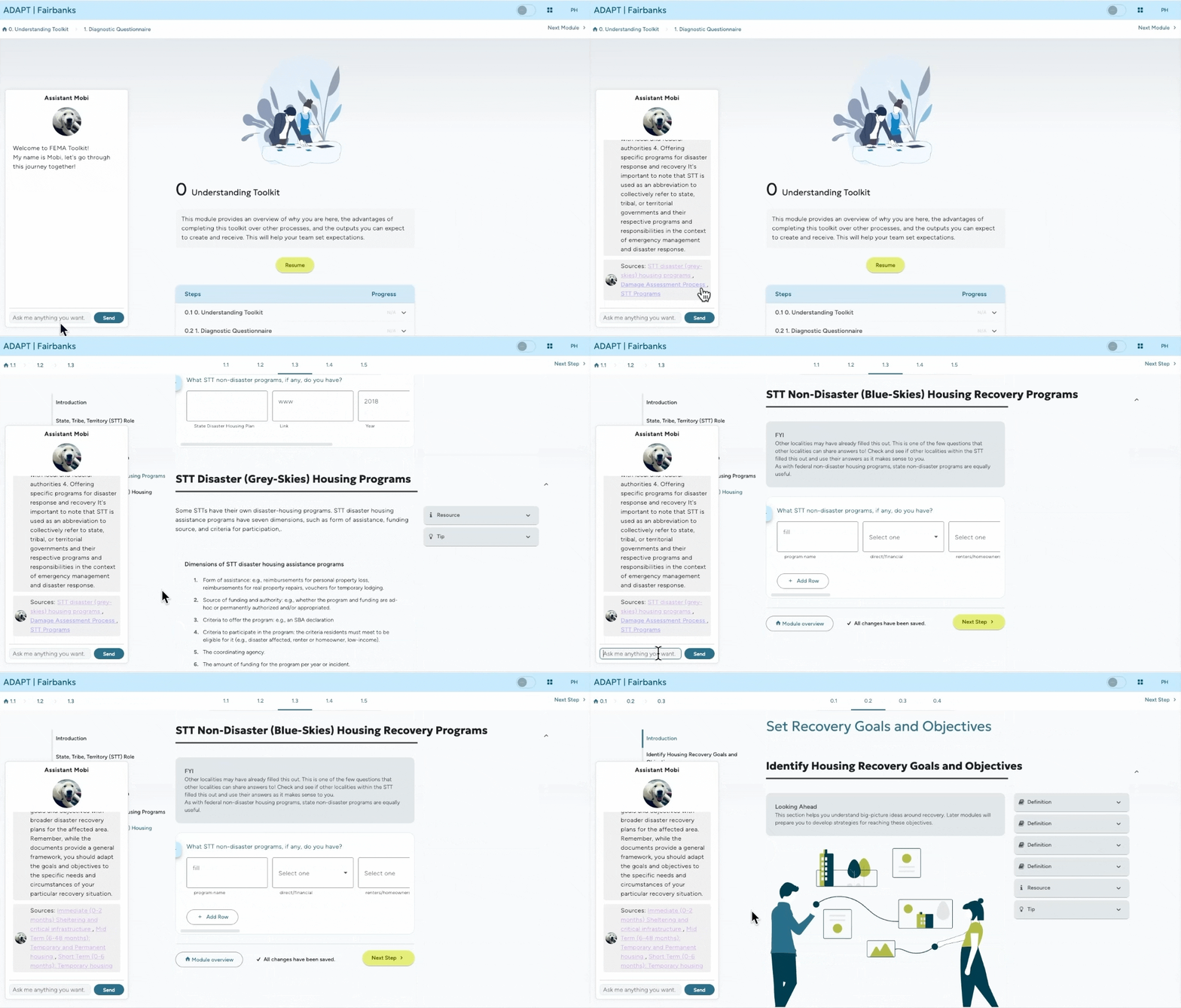
Mobi extends the toolkit with an assistant layer for two audiences. For end users, it answers terms, explains toolkit content, and helps them move through the workflow. For content managers, it supports drafting from local documents, analyzing user answers, and preparing source-grounded research outputs.
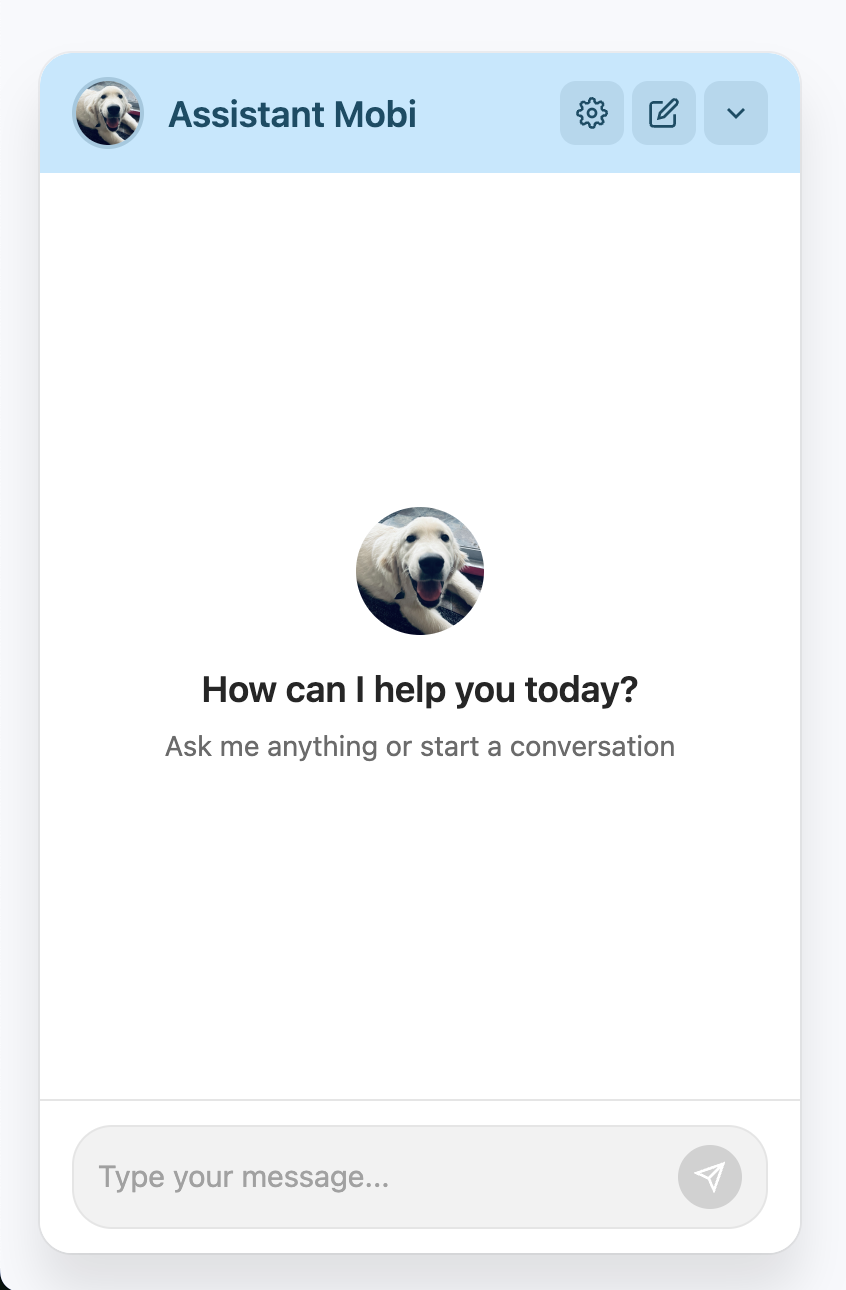
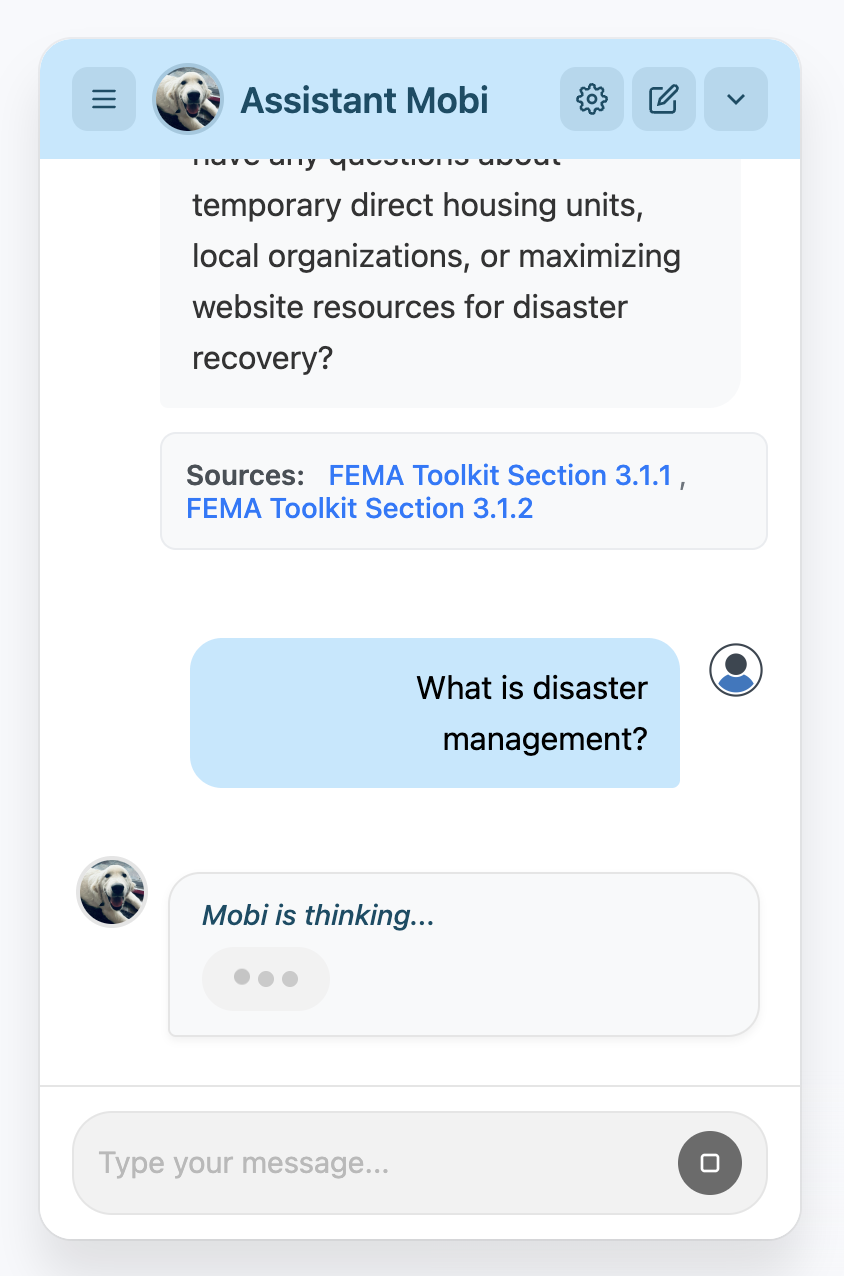
The upgraded assistant UI supports the interaction patterns expected from a modern agent product:
- Memory: Preserves context and user inputs across prior messages.
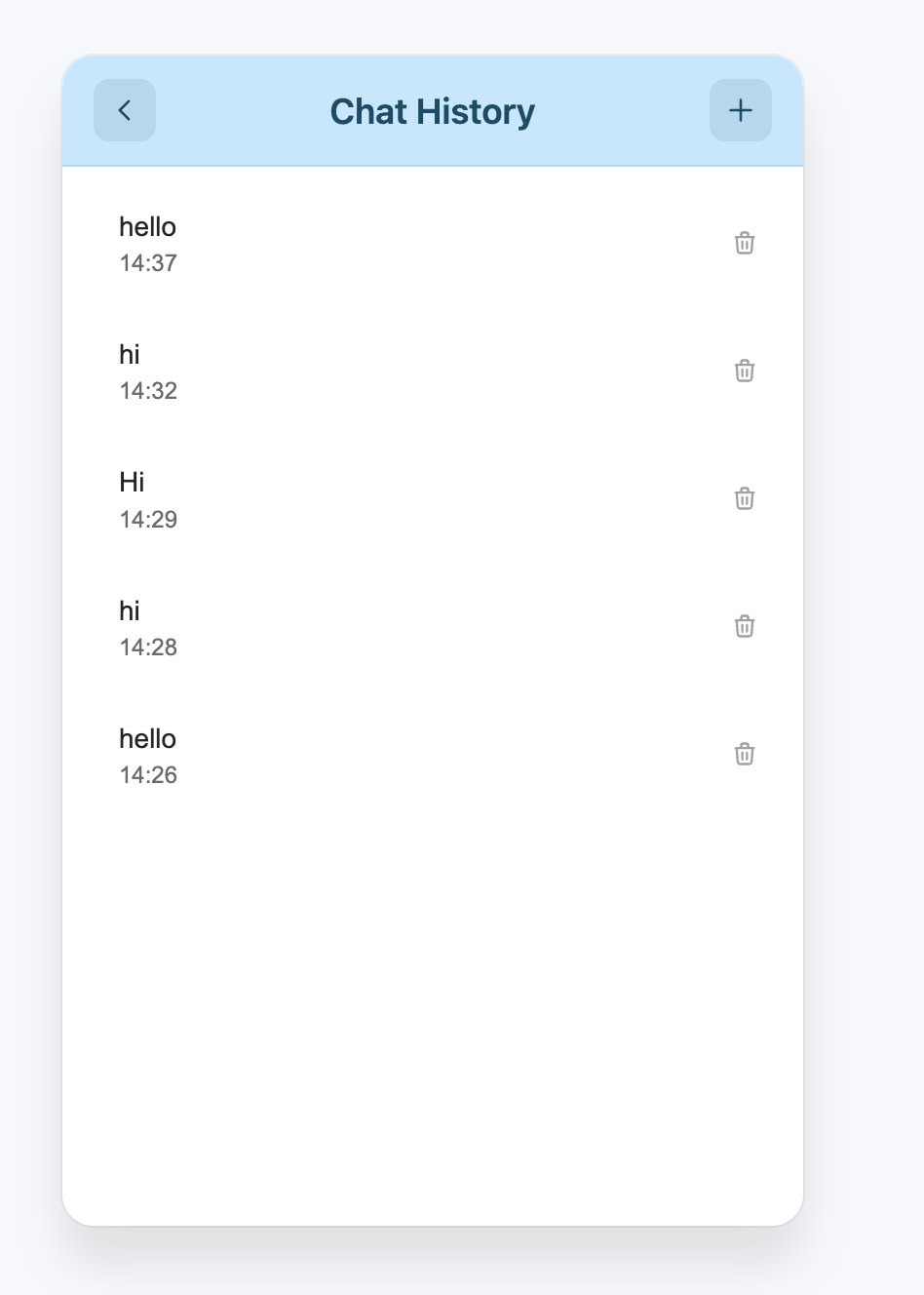
- Thread management: Organizes conversations and resumes previous sessions.
- Message editing: Lets users revise prior prompts and regenerate responses.
- Tool-call display: Makes external tool results visible rather than hiding agent work.
- Human-in-the-loop control: Allows intervention during longer automatic workflows.
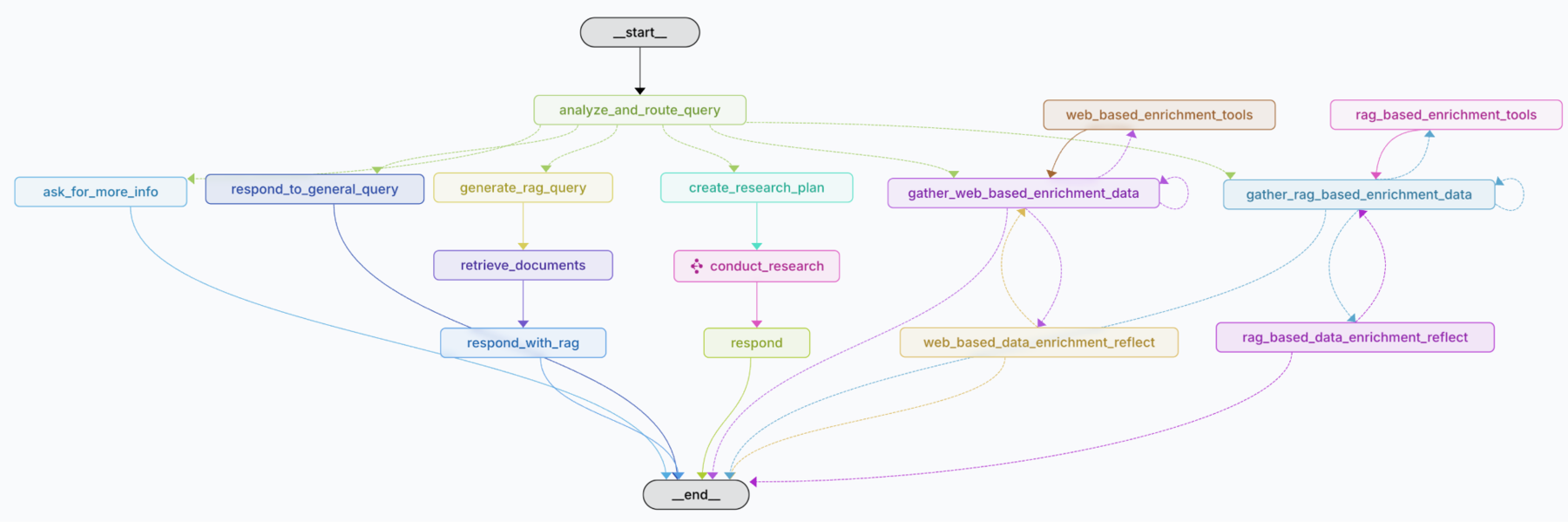
Mobi is organized as graph-based LLM workflows. The content-manager graph routes each query, then chooses whether to answer directly, retrieve local documents, create research plans, gather web-based enrichment data, or enrich responses through RAG sources.
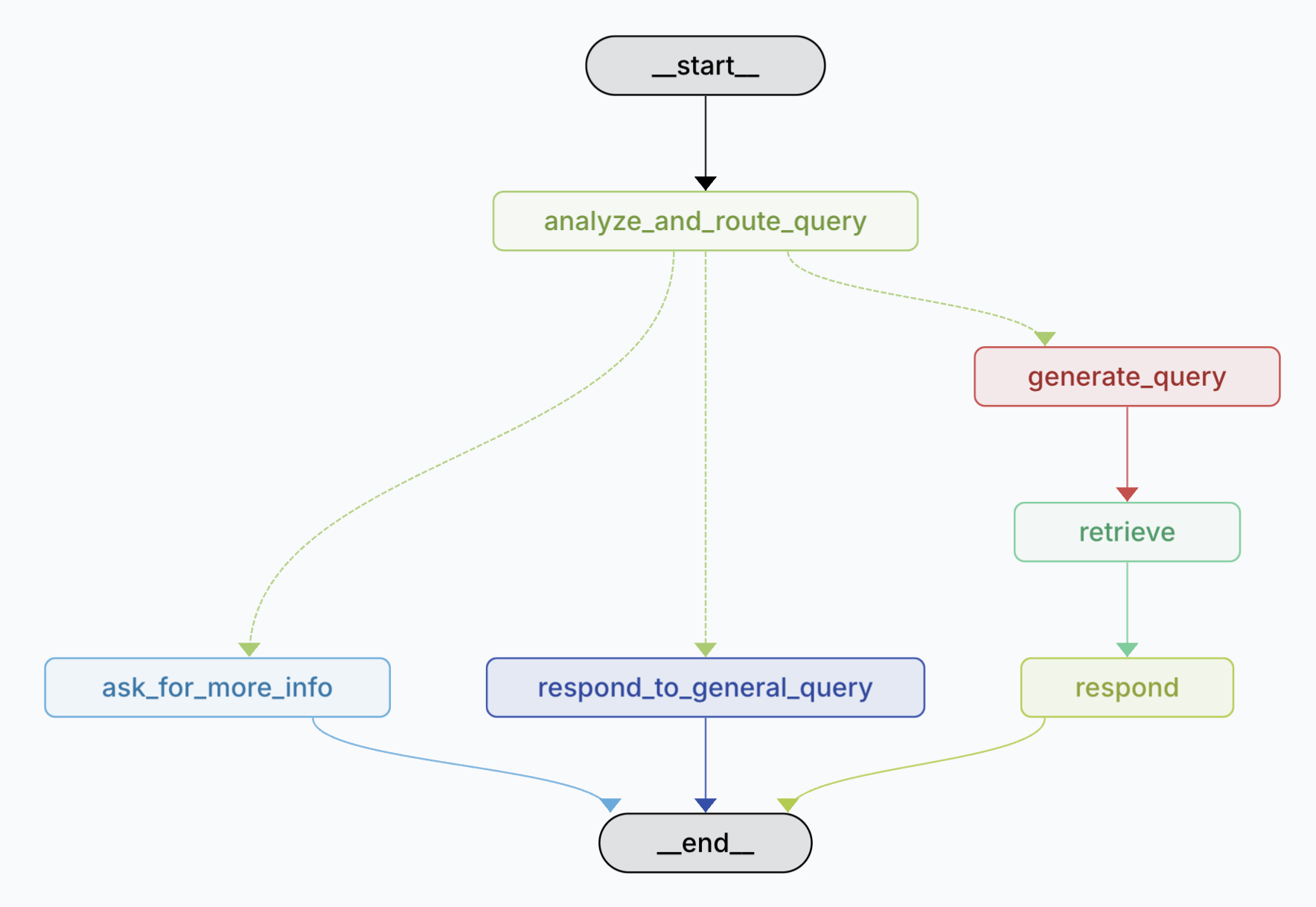
For end users, the toolkit graph is narrower and faster: route the inquiry, ask for clarification when needed, answer general questions directly, or generate a retrieval query and respond with source-grounded context.
Dynamic Content Management
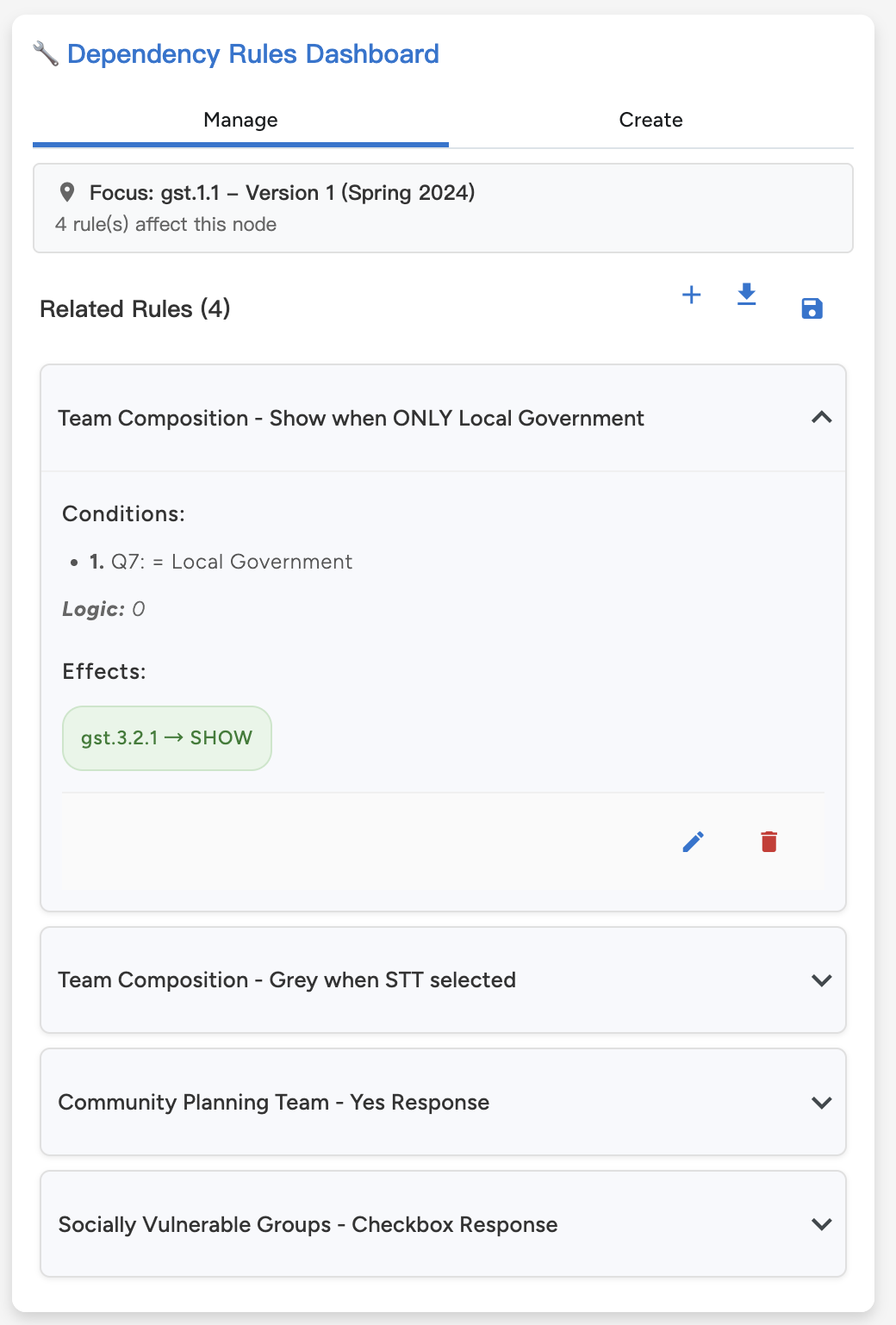
The dependency manager gives toolkit maintainers a direct way to control conditional content. Instead of burying display logic in code, the interface exposes the current content map, rule sidebar, and answer-state preview in one workspace.
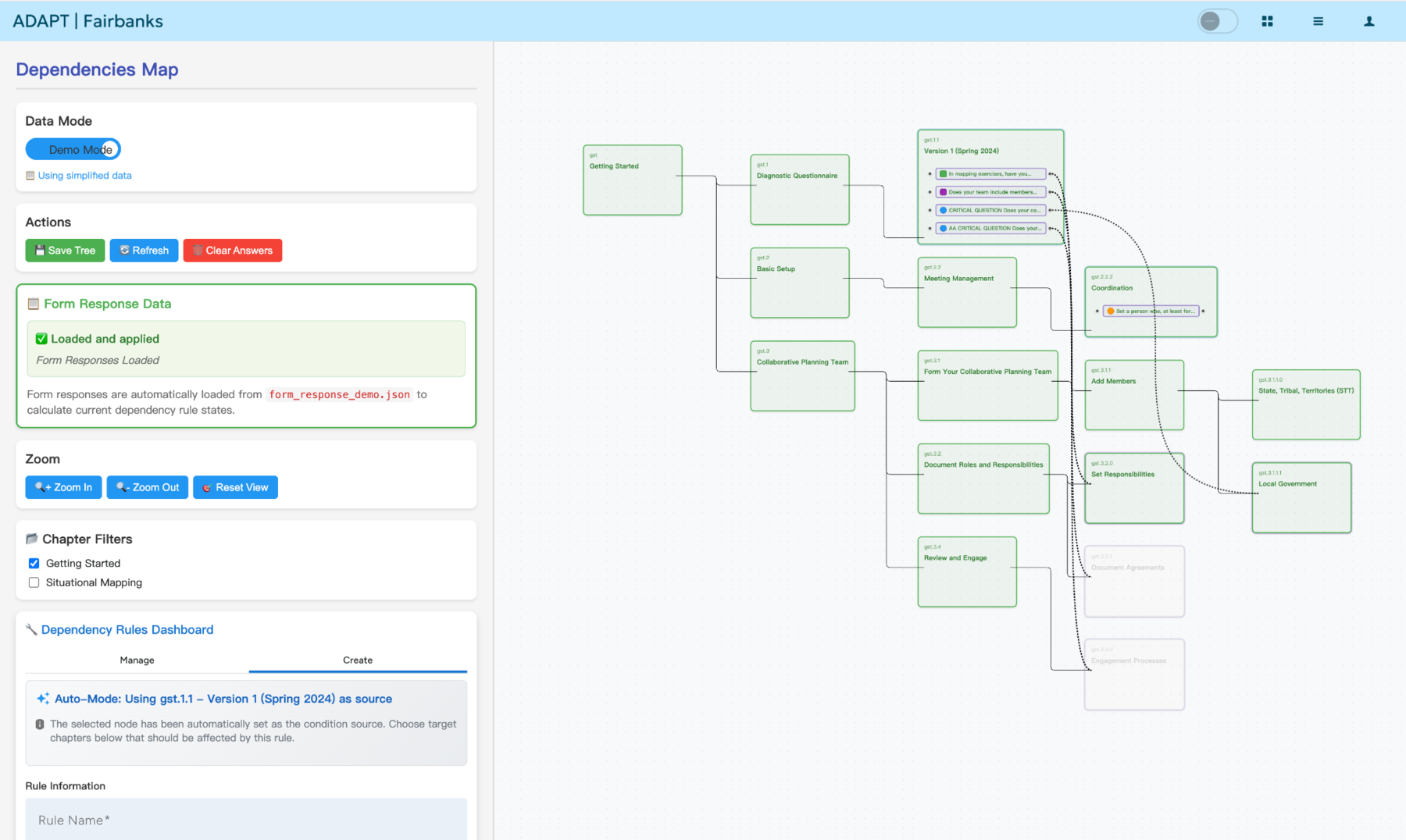
- Content map with dependency rules: Chapters and questions appear as connected nodes, with rule edges showing how answers affect downstream content.
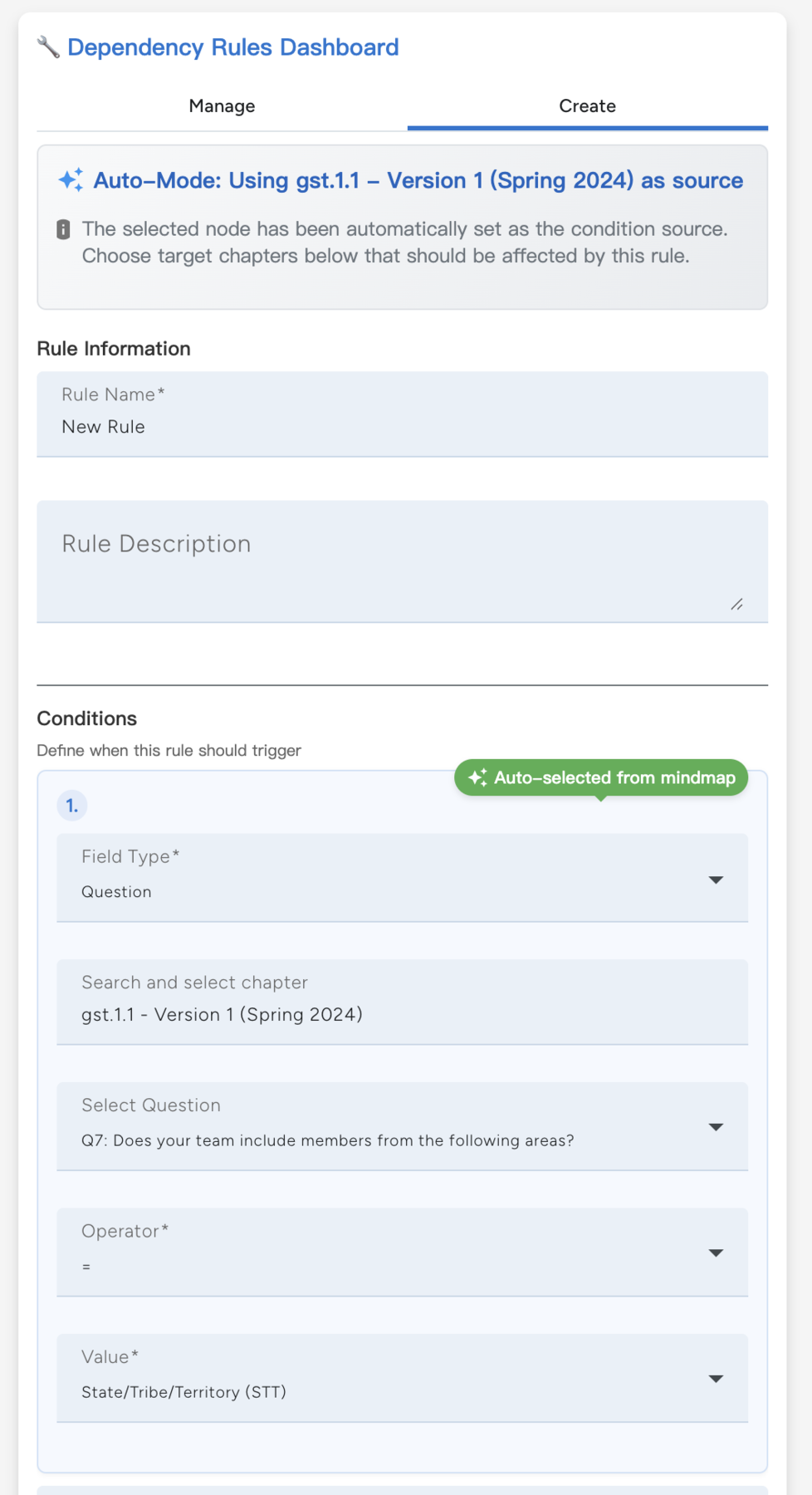
- Rule CRUD interface: Maintainers can create, read, update, and delete rules directly from the management panel.
- Question-to-chapter and question-to-question logic: Rules can target whole chapters or individual questions.
- Condition operators:
and/orlogic supports more complex dependency relationships. - Display effects: Content can be shown, hidden, greyed, or collapsed depending on the active answer state.
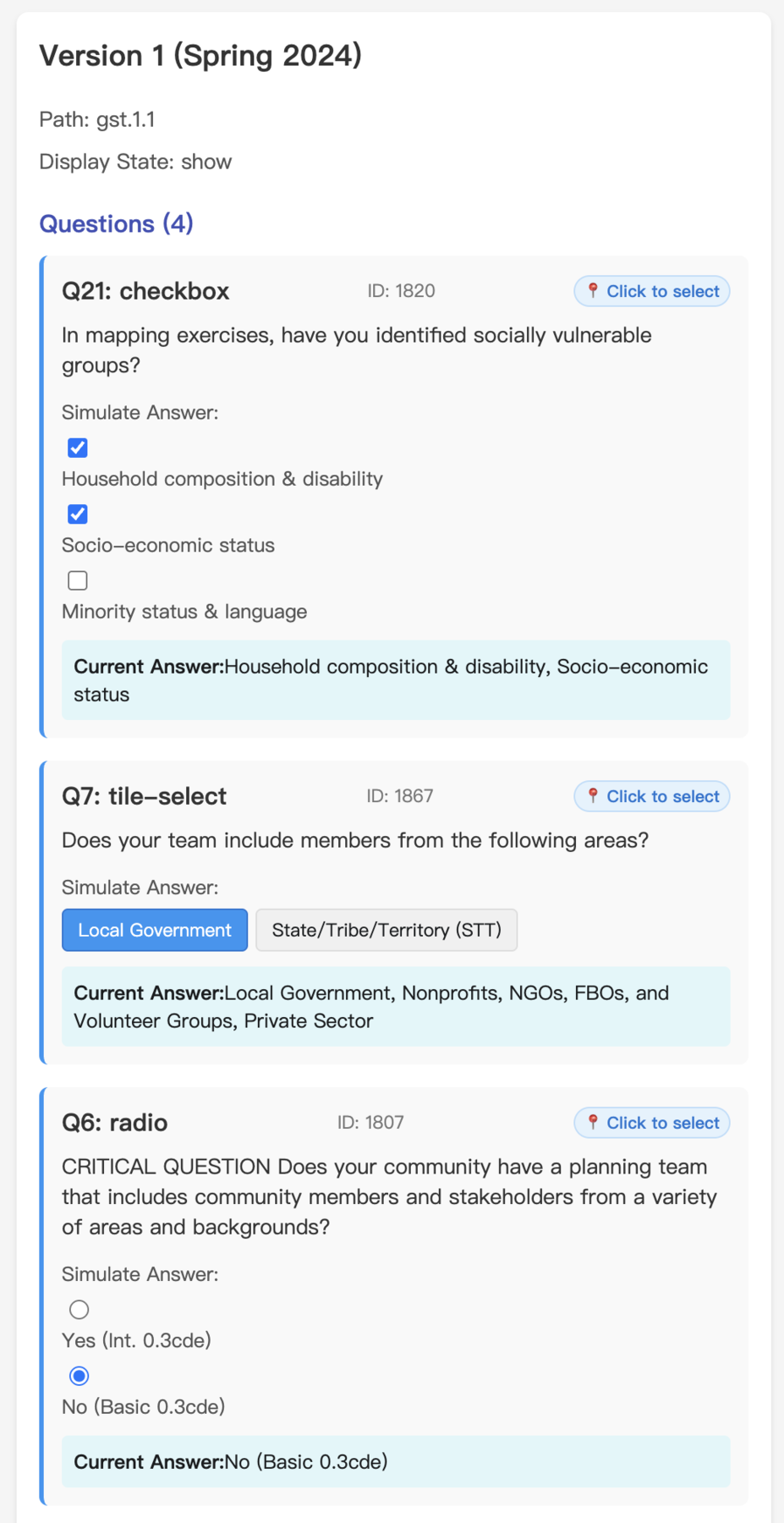
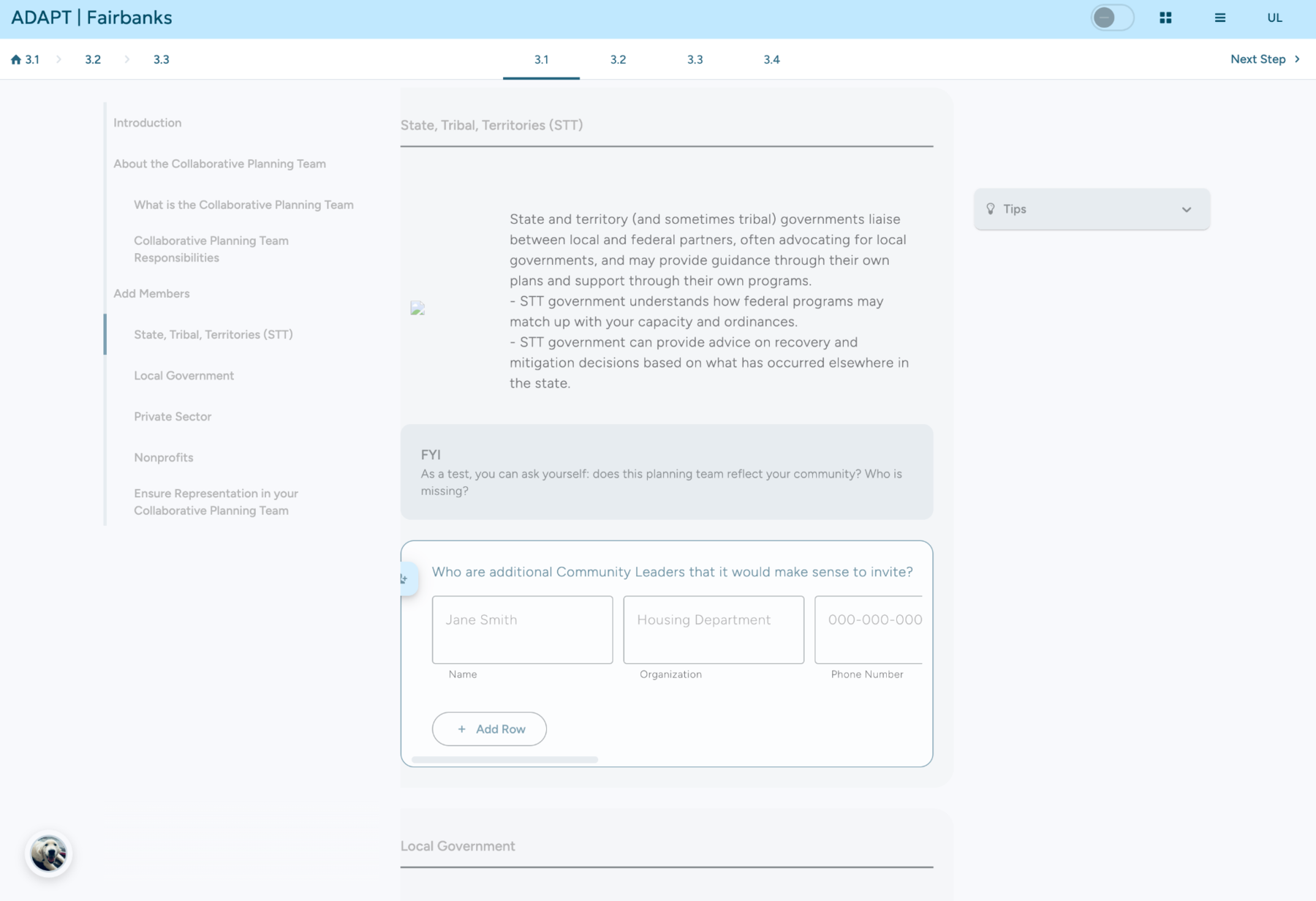
The toolkit checks display state before rendering each chapter or section. If a chapter is greyed out, the page dims it and collapses it by default, while still allowing users to expand the material manually. This keeps the guided flow focused without permanently removing context.
The implementation uses a centralized display-state model, so the same rule output can drive multiple interface behaviors: map visualization, manager preview, sidebar state, chapter collapse, and in-page section visibility.
This project sits at the intersection of full-stack development and RAG agent engineering: product UI, content-state architecture, rule authoring, agent UX, retrieval workflows, and tool-visible LLM orchestration all work together inside one toolkit experience.